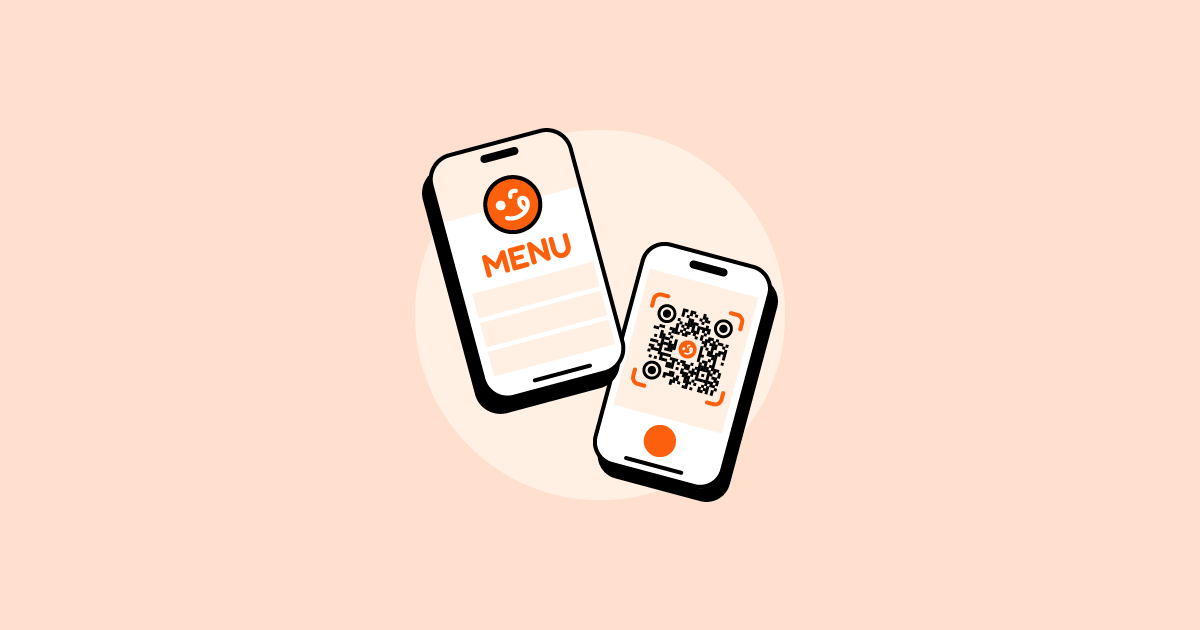
A digital QR menu is structured web content—displaying live food items, photos, prices, and dietary details as data—that renders cleanly on any smartphone and syncs across your website, printed QR codes, and social profiles. It complements a physical menu rather than replacing it: the modern menu is both printed and digital, with each version designed for the way guests use it.
With roughly 75% of restaurants worldwide utilizing QR-powered digital menus, switching from static layouts to live web interfaces has proven to drive a 40% jump in customer engagement, according to recent G2 industry data. This shift is why operators see a 15–30% increase in average order values—customers decide faster and interact directly with clear upsell options.
Customers rarely encounter your menu at the dining table first. Instead, they discover it through Google Search, AI chatbots, Instagram links, WhatsApp chats, or a storefront QR code before they even sit down. A live digital menu ensures that this critical first impression is accurate, highly readable, and up to date.
In this guide
- What is a digital menu and why is it better than PDFs on mobile in 2026?
- How digital menus increase restaurant sales
- What has changed for digital menus in 2026?
- How to update menu items and prices in real-time without reprinting
- How to handle dietary preferences and allergens securely
- How to set up a dynamic QR menu for any food business
- What to include on a digital menu for mobile customers and tourists
- Where to place QR codes so they actually get scanned
- Common digital menu mistakes that cost restaurants revenue
- How to choose the right digital menu solution without getting locked in
- Frequently asked questions
What is a digital menu and why is it better than PDFs on mobile in 2026?
A digital menu is structured web content, not a file—meaning your categories, prices, tags, and descriptions are stored as data points that render beautifully on any smartphone screen.
The key difference is that a digital menu treats menu content as data, not only as a document. Instead of maintaining separate files for every channel, food businesses manage a single source of truth that can be displayed consistently across a live website, QR codes, Google Business Profiles, social media, and a printable menu.
When used as online menus, PDFs and image menus attempt to display a fixed print layout on a fluid mobile screen, resulting in a poor customer experience. As printed materials, those same formats remain useful for guests who prefer a physical menu.
That’s why food businesses are increasingly using live digital menus alongside printed menus. The live version handles phone-based browsing and discovery, while the printed version serves guests who are already at the table or need a physical copy. The digital version solves three problems that appear when a PDF is used as an online menu:
Heavy maintenance overhead
Every time a price changes, a dish sells out, or a seasonal item is added, your team has to edit the original design file, re-export it, and re-upload it to multiple platforms. This friction leads to busy teams putting off menu updates.
Terrible mobile readability
PDFs are built for paper sizes like A4 or Letter. On a 6-inch phone screen, text becomes microscopic. Customers are forced to constantly pinch, zoom, scroll horizontally, and drag the file across their screens just to read a single description.
Fragmented version chaos
Once a PDF link is shared on a WhatsApp message, attached to a Google Business profile, or embedded in a QR code generator, it is out in the wild. When you upload a new version, old links often persist. This leads to frustrated customers looking at outdated prices or ordering items you no longer serve.
| Menu Format | Best Suited For | Major Limitations in 2026 |
|---|---|---|
| Printed Menu | In-store dining, takeaway, catering, and events | Requires regeneration and reprinting when physical details change. |
| PDF Menu | Printed copies or fixed document sharing | Poor mobile experience when used as the online menu; old copies can circulate; harder for AI systems to parse reliably. |
| Live Digital Menu | Websites, QR codes, social bios, and local search | Requires a brief, one-time initial dashboard setup. |
For a deeper look at why a PDF belongs on paper rather than behind a QR code, see our digital menu vs PDF menu breakdown.
How digital menus increase restaurant sales
Digital menus boost restaurant revenue by removing buying friction and systematically guiding customer behavior through automated, clear layout hierarchies. They are a direct sales tool. Moving to an optimized digital layout drives revenue growth through several clear mechanisms:
-
Higher Average Order Value (AOV): Well-structured digital layouts make upselling effortless. By grouping add-ons, extra sides, premium variants, and beverage pairings directly below an item, you capture high-margin revenue that busy waitstaff often forget to prompt verbally. Venues frequently report steady 15–30% AOV lifts after shifting from flat text to structured digital systems.
-
Faster Dining Table Turnover: Decision-making slows down when menus are disorganized or hard to read. Clean category tabs let customers find exactly what they want in seconds, easing table gridlocks during peak lunch rushes or high-volume weekend dinners.
-
Fewer Kitchen and Ordering Errors: Misunderstandings over ingredients or size options lead to wasted food, lost profits, and stressful refunds. Providing explicit drop-down variants and distinct dietary clearings ensures that customer expectations match the kitchen’s output perfectly.
-
Organic Search & AI Overview Discovery: Unlike images or PDFs, search engines and AI engines can read individual text strings on a digital page. This means individual dishes can surface directly in natural language search results when hungry users look for highly specific local items.
What has changed for digital menus in 2026?
The digital landscape for hospitality has evolved past the clunky web links of early adoption phases. In 2026, several clear shifts govern how customers interact with menus:
QR-first scanning behavior is standard
Customers no longer view scanning a code as a novelty or an emergency alternative; it is an expected baseline for convenience, speed, and hygiene. Diners value the autonomy of pulling up accurate data instantly, whether they are checking the menu before a visit or switching from a printed menu at the table.
Search engines index structured dishes directly
Traditional search engine optimization (SEO) and modern generative engine optimization (GEO) rely on machine-readable text data. When your menu is structured cleanly, AI platforms can pull your live dish names, exact prices, and real-time availability into localized conversational answers.
Hyper-personalized filters are expected
Diners treat customized filters as a fundamental requirement rather than an added luxury. International tourists expect intuitive language switching, while local diners with distinct lifestyles expect to isolate items using fast dietary toggles.
How to update menu items and prices in real-time without reprinting
The reason a digital QR menu beats a PDF as a live online menu comes down to one structural difference: your menu is data, not only a file. That means a single change in your dashboard propagates to every active digital touchpoint without you re-exporting or re-uploading anything. A printable menu can still be generated from that same source when the physical copies need updating.
Running a busy kitchen means managing shifting inventories, fluctuating ingredient costs, and seasonal items throughout the week. When a high-volume item sells out mid-service, relying on a static online layout or expecting staff to replace printed copies immediately creates operational friction and leads to customer disappointment at the table.
Modern digital menu architectures solve the live-update problem through synchronization. Operators make adjustments via a centralized cloud dashboard, and the moment a price changes or a dish becomes unavailable, the update pushes instantly to every live customer touchpoint—including active dining tables, storefront windows, and social media delivery links. Physical copies still need to be regenerated eventually, but the QR code printed on them can keep pointing to the current live menu.
This keeps consumer expectations perfectly aligned with what the line is prepared to cook, reducing kitchen miscommunications and front-of-house bottlenecks.
How to handle dietary preferences and allergens securely
Clearly displaying dietary and allergen markers builds immediate customer trust and eliminates ordering bottlenecks caused by diners repeatedly grilling staff about ingredients.
However, managing this by typing long warnings into item descriptions creates visual clutter. A digital layout solves this by utilizing standardized, icon-based tags that separate lifestyle preferences from strict medical restrictions.
A well-structured digital menu system separates these two concerns by design, typically supporting a broad range of dietary preferences and distinct dietary restrictions, along with common identified allergens.
- Dietary Preferences (Lifestyle): Easily filter for items matching Vegetarian, Vegan, Halal, Keto, Paleo, or Organic lifestyles.
- Dietary Restrictions & Allergens (Safety): Clearly flag items containing common medical triggers such as Gluten, Milk, Eggs, Peanuts, Tree Nuts, Wheat, or Soybeans. This structural approach keeps your menu looking clean while keeping sensitive diners safe.
How to set up a dynamic QR menu for any food business
A successful digital QR menu launch requires a practical framework that bridges digital software with physical hospitality environments.
Follow these five practical operational steps to build a dependable system:
- Establish a Single Source of Truth: Enter your complete categories, items, variants, and descriptors into a centralized digital menu builder. This ensures that your internal team only has one dashboard to manage when making adjustments.
- Generate a Dynamic QR Code: Never use static QR codes that link directly to a hardcoded file or an unstable link destination. By utilizing a dynamic system via a QR Code Generator, you print your physical code sheets exactly once. If you ever need to point that code to a new page or rearrange your URLs, you can change the backend destination instantly without reprinting signs or spending money on marketing collateral.
- Optimize for Challenging Lighting: Restaurant environments present unique challenges like mood lighting, flickering candles, and direct sunlight. Always print your physical QR codes using high-contrast formats (such as dark elements on crisp white backgrounds) and protect them with a non-reflective matte finish to eliminate harsh glare.
- Incorporate Real-World Field Fixes: Take cues from actual operators who have optimized their layouts. For instance, a popular food truck in Penang eliminated scanning failures by switching from glossy sticker paper to rigid matte laminate and shifting codes to the lower corners of table layouts. A bakery in Kuala Lumpur uses window-facing QR codes to capture foot traffic, allowing passersby to browse menus and place pre-orders even after the physical storefront has closed for the evening.
- Maintain Operational Synchronization: Train staff to flip a sold-out item to “unavailable” the moment it runs out, rather than at the end of service. Because your digital QR menu syncs live (see the real-time updates section above), this one habit prevents most table-side apologies and comp meals.
For a detailed, step-by-step walkthrough of the full build—from structuring items to printing on matte stock, see our guide on how to create a QR menu.
What to include on a digital menu for mobile customers and tourists
Mobile web users have short attention spans. If your menu takes too long to load or contains vast walls of block text, users will close the page and check a competitor’s profile. Keep your content clean, structured, and easily scannable:
- Distinct, Titled Category Tiers: Group items logically into clear, predictable blocks like Appetizers, Mains, Drinks, and Desserts. Avoid overly artsy names that leave users guessing what type of food lives inside that section.
- Clean Descriptions with Price Variants: Write concise, descriptive summaries highlighting key ingredients, texture profiles, and presentation sizes. If an item comes in multiple sizes or preparation choices, layout those options with explicit pricing so there are no surprises.
- Strategic Hero Photo Placement: Do not slow down your page loading speeds by attaching giant, high-resolution images to every single side dish or beverage. Instead, upload high-quality images exclusively for your top 5 highest-margin signature dishes or best-selling house specials. This visual contrast draws the user’s eyes straight to your most profitable items.
- Main-Language Clarity: Write clear, direct item names and descriptions in the business’s main language. Guests who need another language can use the translation built into their phone or browser without maintaining a second menu.
Where to place QR codes so they actually get scanned
Smart physical placement determines whether your digital menu becomes an intuitive part of your operation or a source of customer frustration. Place your physical display points exactly where your diners’ eyes naturally settle:
- Table Corners and Tents: Fix your codes firmly to table surfaces or place them on rigid table tents. Position them toward the outer edge of the table layout so they remain completely visible even after plates, glassware, and napkins are set down.
- Point-of-Sale and Takeaway Counters: Position high-contrast signs directly at eye level alongside your cash registers or order lines. This keeps customers occupied browsing your drink variants or sweet add-ons while they wait to pay, boosting last-minute ordering volume.
- Storefront Windows and Entry Vestibules: Mount weatherproof signs right by your main entrance or on your front glass windows. This turns your physical storefront into a round-the-clock interactive marketing surface, letting pedestrians check your pricing and dish choices during hours when your doors are locked.
- Takeaway Packaging Inserts: Drop printed cards or customized stickers directly onto your delivery bags, pizza boxes, or pastry boxes. This provides your takeaway crowd with an immediate path back to your website, turning one-time platform delivery buyers into direct customers.
Placement gets the code in front of the guest, but the card’s message gets them to actually scan it. For the exact sentence structure and layout that lifts scan rates from roughly 30% to 73%, see our 73% scan rule guide.
For the physical heights, angles, and finishes that beat glare, see our QR menu placement guide.
Common digital menu mistakes that cost restaurants revenue
Avoid these common operational traps to ensure your digital menu setup runs smoothly:
- Linking Directly to a Static PDF File: This defeats the purpose of digital menus. Forcing a diner to download a large 15MB file onto their phone eats up data, loads slowly, and offers zero mobile layout optimization.
- Hiding or Omitting Current Pricing: Never leave prices blank or state “Market Price” on standard menu items. Ambiguity causes immediate friction and makes customers look for a more transparent alternative.
- Overcrowding Layouts with Excess Visual Clutter: Too many blinking banners, massive photo galleries, or walls of text create visual fatigue. Keep layouts minimalist and clean to help users make fast ordering choices.
- Neglecting Low-Contrast Typography: Avoid light gray fonts on white backgrounds or tiny serif fonts that are unreadable in dim restaurant lighting. Stick to highly legible font styles and strong color contrast.
- Failing to Track and Analyze Scans: If you don’t know which tables scan codes or what times see peak menu traffic, you miss out on valuable operational insights. Use basic scan tracking to optimize your physical layout.
- Printing Extremely Small QR Codes: Any code printed smaller than 3cm by 3cm becomes incredibly difficult for mid-range or older smartphone cameras to resolve, causing long scanning delays.
- Leaving Fragmented Versions Across the Web: Forgetting to update your menu link on your Google listing, Tripadvisor profile, or Instagram bio creates massive confusion when your in-store menu changes.
For the full breakdown of each mistake with quick fixes, see our guide on common digital menu design mistakes that cost restaurants sales.
How to choose the right digital menu solution without getting locked in
When evaluating platforms to host your digital menu and website infrastructure, look for systems that protect your business agility and keep operating margins in your pocket. Ask these basic questions before signing up for any software:
- Can updates be made instantly without reprinting codes? Ensure the platform utilizes dynamic backend linking so you aren’t stuck printing new cards for minor price tweaks.
- Does the layout scale natively for mobile out of the box? Your menu must load instantly as clean, responsive text content on every single device configuration.
- Are there hidden commissions or per-scan fees? Some platforms lure you in with cheap tiers but charge transaction cuts or cap your scan numbers. Look for providers that offer unlimited scans safely.
- Can the system scale across multiple locations? Choose an architecture that lets you manage multiple venue branches from one single master dashboard effortlessly.
Look for a platform that handles unlimited scans and syncs edits across your website, digital menus, and link-in-bio surfaces without per-scan fees or transaction cuts.
For a current side-by-side review of menu-only tools, ordering systems, and full restaurant platforms, see our 10 best QR menu platforms for restaurants in 2026.
Ready to pair a live digital menu with a professional printed version? Create your free digital QR menu with Nommy today. No credit card required, unlimited scans included.
Frequently asked questions
Is a QR menu the same as a contactless menu?
Yes. A QR menu is simply a modern digital menu page that customers access safely by scanning a physical code with their native phone cameras.
Do customers still prefer QR menus in 2026?
Yes, heavily. Diners appreciate the speed, clarity, and convenience of browsing accurate, real-time menus instantly without tracking down servers for small detail changes or seasonal price checks.
Can I add direct ordering and payment processing to my QR menu?
Some menu platforms focus on discovery and presentation rather than taking a cut of your sales. They let you plug your existing ordering and payment links straight into your menu page, keeping transaction revenue with you.
How do I optimize my menu layout for international tourists?
Publish clear main-language item names and descriptions, then pair them with explicit dietary and allergen tagging. For tourist-heavy venues, put the local/main language and English together in the same title and description—for example, 海南鸡饭 / Hainanese Chicken Rice—rather than maintain separate menu versions. Tourists can use their phone’s built-in translation for anything else while the menu stays accurate and easy for the team to maintain.